


Persona Wallet
3.130.00 Reviews
App Specs
- Version
- 1.25.0
- Updated On
- License
- Free
- Downloads
- 100,000+
- Developer
- Persona Identities
- Categories
- Business
- Platform
- Android
Screenshots
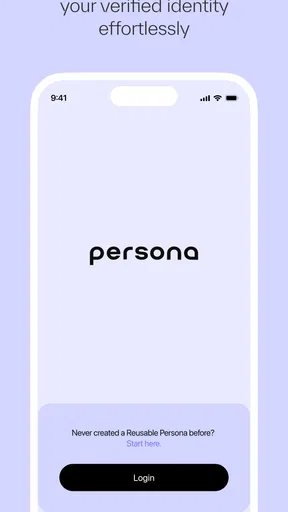
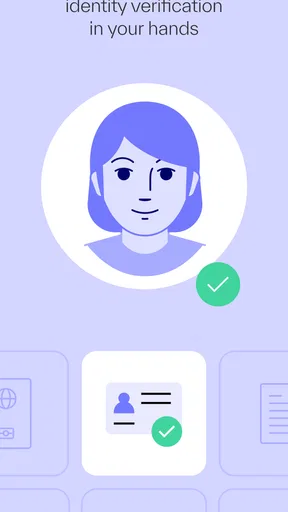
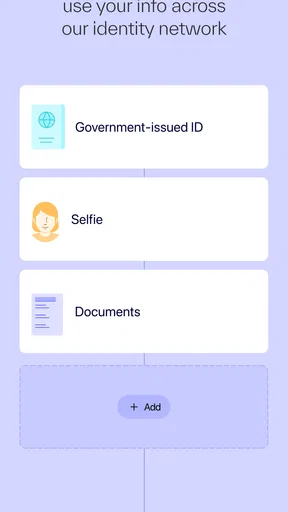
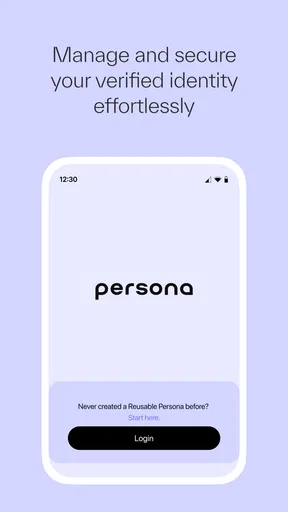
 Analysis by AppCompare
Persona Wallet is a business app from Persona Identities that focuses on one practical job: keeping identity information available for secure verification and management. I approached it less like a general wallet and more like a specialist tool for moments when proving who you are becomes part of a digital task. That distinction matters, because its usefulness depends heavily on whether identity checks are a regular part of your work or online routine.
The app is free, rated for Everyone, and available for devices running Android 9 or later. It has passed the early adoption stage with over 100 thousand installs, although its average rating is 3.1 from around 266 ratings, so I would not describe the experience as universally smooth. Persona Identities released it on October 25, 2024, and the current version is 1.25.0. Those details place it in the category of a relatively young business utility rather than a mature, all-purpose document manager.
Identity verification is the feature that shapes the whole experience
The central capability is the ability to verify, manage, and store identity information in one place. In practical terms, that means the app is meant to reduce the repeated work involved in identity-related processes. Instead of treating every verification request as an isolated event, Persona Wallet gives you a dedicated place to handle the information connected with that process.
I think the important benefit is not simply “having documents on a phone.” Many phones already offer file storage, photo galleries, password managers, and cloud drives. The more useful idea here is keeping identity information organized around verification, rather than leaving it mixed with screenshots, email attachments, and unrelated files.
That focus makes the app relevant to people dealing with digital onboarding, account access, business services, or other workflows where identity needs to be checked. It is less compelling if you only want a private folder for scans. A standard encrypted storage service or document manager may be more flexible for that purpose, while Persona Wallet is aimed at the identity-verification side of the problem.
There is also a psychological advantage to using a purpose-built tool. When identity information is scattered across a gallery and several cloud folders, it is easy to lose track of which image is current, which copy is readable, and which file was prepared for a particular process. A dedicated wallet encourages a more deliberate workflow. I found that useful because it changes the question from “Where did I save that picture?” to “What do I need to complete this identity check?”
What the wallet approach changes in everyday use
The wallet concept is most valuable when identity verification happens more than once. A person who completes one verification every few years may not notice much difference. Someone who regularly joins services, manages business accounts, or moves between digital platforms has more to gain from keeping identity-related information ready and separated from ordinary phone files.
Worth Reading Before You Choose

EA SPORTS FC Mobile 26 Is a Bigger Football Game, but It Takes Time

Flipboard Shows What News Apps Must Do Beyond the Feed

Switching to Android Auto Means Rethinking Your Driving Routine

Google Calendar Makes a Crowded Week Easier to Manage

Ludo King Makes the Most of the Minutes Between Plans

Baby Panda World Brings Quick Play to Modern Phones, but Its Game Library Feels Busy
That does not mean every verification becomes instant. You still need to follow the requirements of the service requesting the check, and a stored identity record cannot solve problems such as an unreadable document, an outdated detail, or a mismatch in personal information. The app can make preparation more orderly, but it should not be mistaken for a guarantee that every external verification will be accepted.
This is where I see the app’s real effect: it can reduce avoidable confusion before a verification request begins. That is a modest benefit, but it is a meaningful one when a failed or interrupted identity check forces you to start over.
How I would use it before starting a verification
My first recommendation is to prepare the wallet before you are under time pressure. Open the app when you have your relevant identity information available, check that the details are current, and make sure you understand what you are storing. Doing this during a calm moment is better than trying to assemble everything while signing up for a service with a deadline.
I would also treat the wallet as a controlled workspace rather than a dumping ground. Adding every identity-related image can create the same clutter that the app is supposed to prevent. Keep only information that has a clear purpose, and remove or update material when it no longer represents your current situation. The useful habit is not simply storing more; it is maintaining a reliable identity set.
A second practical tip is to avoid relying on the wallet as your only preparation. If a service requires a particular document or a live step, read that request carefully before beginning. A stored item may help with the information side of the process, but it does not necessarily replace an action requested by the other service. This small distinction prevents a common mistake: assuming that having identity information saved means every verification step is already covered.
I would also make sure the phone itself is protected with a strong screen lock. An identity wallet deserves more care than an ordinary notes app because the information inside it can be sensitive even when the app is easy to open. The app’s purpose is security-oriented, but good device habits remain part of the overall protection. A wallet cannot compensate for an exposed phone or careless sharing.
A realistic business use case
Imagine a freelancer who signs up for a new business platform after finishing a client project. The platform asks for identity verification, and the freelancer is working from a phone rather than a computer. Without a dedicated wallet, they may search through old email messages, camera photos, and cloud folders to find the right information. They may also upload a blurry image simply because it is the first one they locate.
With Persona Wallet prepared in advance, the freelancer has a clearer starting point. They can open the identity-focused app, review the information they intended to use, and approach the verification request with fewer searches. If the platform still asks for additional steps, the freelancer knows that immediately instead of discovering it after several failed attempts.
The same logic applies to a small-business owner handling several online services. The value is not that the wallet replaces every provider’s process. The value is that the owner has a consistent place to begin, which can reduce the mental overhead of switching between services. In business tasks, that reduction in friction can matter more than a flashy interface.
Where it fits beside ordinary alternatives
Compared with a photo gallery, Persona Wallet offers a clearer identity purpose. A gallery is excellent for capturing and viewing images, but it does not naturally distinguish identity material from receipts, travel photos, or screenshots. Compared with a cloud drive, the wallet is more focused but potentially less useful for broader document organization. A drive is better when you need folders, collaboration, and mixed file types.
Password managers are another nearby alternative, but they solve a different problem. They are built primarily around credentials and secure access, whereas Persona Wallet is centered on identity information and verification. Some people may reasonably use both: one for account secrets and the other for identity-related material. Trying to force either tool to replace the other can make the workflow less clear.
Paper copies still have a place in some situations, especially when a physical document is required or phone access is unavailable. The wallet is most helpful for digital processes, not as a universal replacement for carrying or storing official documents. I would choose it when the task begins online and identity information needs to be managed from a mobile device.
The friction I would want new users to expect
The average rating of 3.1 suggests that the app may not meet every user’s expectations, and I think that is worth taking seriously. A focused identity tool has a narrow purpose, so any weakness in setup, clarity, or compatibility can feel more significant than it would in a casual app. When the task is verification, users usually want confidence and predictability, not experimentation.
Another trade-off is that the app’s value depends on the surrounding service. Persona Wallet can organize and store identity information, but the company or platform requesting verification still controls its own requirements. If that external process is slow, restrictive, or asks for information in a different format, the wallet cannot remove all of that friction.
I would also avoid assuming that a wallet automatically means complete control over every identity interaction. Before using it for an important business process, I would read the on-screen instructions carefully and confirm that the information being presented is the information I actually intend to share. Convenience should not replace review when the material involves personal identity.
The app may be less suitable for someone who wants a full document-management system. If your main needs are scanning invoices, annotating PDFs, sharing files with colleagues, or maintaining a broad archive, a document app will probably serve you better. Persona Wallet makes more sense when identity verification is the center of the workflow rather than one small part of it.
Questions I would settle before depending on it
One natural question is whether the app is suitable for occasional users. Yes, it can still be useful, but the benefit will be limited if you rarely encounter identity checks. For occasional use, I would install it only if I expect a digital verification task soon or want a dedicated place for identity information. Otherwise, the setup may feel like more organization than I need.
Another question is whether it replaces the service being verified. It does not. Think of it as a preparation and management tool that supports an identity workflow. You still interact with the business or platform requesting verification, and you still need to satisfy that service’s instructions.
People may also wonder whether it is appropriate for a shared family phone or a work device. I would be cautious. Identity information is personal, so a device used by several people creates an avoidable privacy concern. On a work phone, I would first consider who controls the device and whether storing personal identity information there fits the company’s rules.
For someone changing phones, I would prepare before relying on the wallet for an urgent task. Make sure you can still access what you need and do not wait until a verification deadline to discover that your preferred device is unavailable. This is sensible planning for any identity-related app, especially one you expect to use as a central starting point.
Who gets the most value from Persona Wallet
The strongest audience is people who regularly complete identity checks from a mobile device. Freelancers, online business users, contractors, and anyone opening or managing several digital accounts may appreciate having a dedicated identity workspace. The benefit grows when repeated verification tasks are currently handled through improvised searches in email, photos, and downloads.
It can also suit users who want a clearer boundary between ordinary personal files and sensitive identity material. That separation is useful in itself. When the information has a defined home, it is easier to review what is current and easier to avoid accidentally sending the wrong image or attachment.
I would be more hesitant to recommend it to someone who wants a general-purpose secure vault, a password manager, or a complete document archive. Those needs call for broader tools. I would also hesitate if a person strongly dislikes setting up dedicated apps for occasional tasks, because the wallet’s narrow focus may not justify another place to maintain.
Persona Identities has positioned this as a business app, and that emphasis feels appropriate. It is not trying to be a social network, a finance tracker, or a broad productivity suite. Its usefulness comes from concentrating on a specific point of digital friction: preparing and managing identity information when verification is required.
My recommendation after using the focused approach
I see Persona Wallet as a practical specialist rather than an essential app for every phone. Its strongest idea is simple: identity information deserves a dedicated workflow instead of being left among random photos and files. For users who face recurring digital verification, that focus can make preparation calmer, more consistent, and less prone to avoidable mistakes.
The limitations are equally important. It does not remove the requirements imposed by outside services, it should not be treated as a complete document manager, and its modest 3.1 average means I would approach it with realistic expectations. I would test it before an important deadline, keep the stored information carefully maintained, and protect the device that contains it.
At no cost and with an Everyone age rating, it is easy to try for the right use case. My recommendation is strongest for people who repeatedly manage identity checks on mobile. If that sounds like your routine, Persona Wallet is worth considering as a dedicated starting point for verification. If you only need ordinary file storage or broad business document tools, I would choose a more general alternative instead.
Pros
- Simple interface makes tracking personal finances quick and approachable.
- Supports organized expense management for clearer spending visibility.
- Useful wallet overview helps keep important financial details in one place.
- Convenient for users who prefer managing finances from a mobile device.
- Can encourage better budgeting habits through regular expense monitoring.
Cons
- Some features may require account setup before the app is fully useful.
- Financial data may need manual updates
- which can become time-consuming.
- Privacy-conscious users may want more clarity about data handling practices.
- Limited advanced tools may not satisfy users seeking detailed financial analysis.
- Performance and feature availability can vary depending on device or region.
FAQs for Persona Wallet
What is Persona Wallet and what can I use it for?
Persona Wallet is a digital wallet designed to help users manage selected financial assets and related transactions from a mobile device. Depending on the version and supported region, it may allow you to view balances, send or receive funds, and manage wallet accounts. Before downloading, check the official listing carefully because supported currencies, networks, services, and availability can vary by country and may change over time.
Is Persona Wallet safe to use?
Persona Wallet may include standard protections such as account authentication, encryption, and recovery or security settings, but no digital wallet is completely risk-free. Your security also depends on using a strong password, protecting recovery information, enabling available verification features, and avoiding suspicious links. Never share private keys, recovery phrases, passwords, or verification codes with anyone claiming to offer support.
Does Persona Wallet charge fees for transactions or other services?
Using Persona Wallet may involve different types of costs, including network fees, transfer charges, exchange spreads, withdrawal fees, or fees from third-party services. The exact amount can depend on the asset, destination network, transaction size, and current network conditions. Review the confirmation screen and the app’s fee information before approving any transaction, since fees may not always be refundable.
Can I recover my Persona Wallet account if I lose my phone or password?
Recovery depends on the account structure and the security method used by Persona Wallet. Some wallets provide a recovery phrase, while others may rely on verified account recovery or support procedures. Set up the recommended recovery options immediately after installation and store sensitive recovery details offline in a secure location. If you lose the required credentials, access to funds or account data may be impossible to restore.
What should I check before downloading Persona Wallet?
Before installing Persona Wallet, verify that you are downloading the official application from Google Play or the Apple App Store and that the developer name matches the legitimate publisher. Read the current permissions, privacy policy, supported countries, compatible devices, and recent user reviews. Also confirm that the app supports the assets or services you need, because availability and features may differ between Android, iOS, and regional versions.


